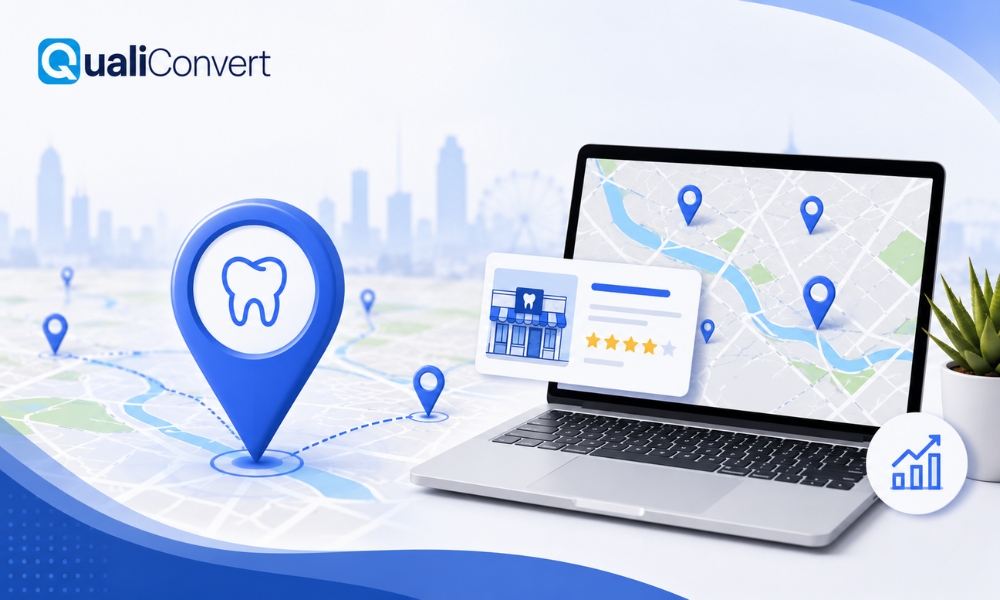
When people search for a dentist near them, the first thing they often see is a small map on Google with three highlighted clinics. This is known as the Google Map Pack or the Local 3 Pack. It is the prime spot for local businesses because most users never scroll past it.
If your dental clinic appears there, you are more likely to receive phone calls, direction requests and website visits from local patients. However, getting into that top 3 is not automatic. It takes strategy, consistency and careful optimisation of your Google Business Profile (GBP).
This guide explains step by step how to make your dental practice visible in the Map Pack, attract local patients, and strengthen your online presence.
Why the Google Map Pack Is So Important for Dentists
- More visibility: The Map Pack appears above most organic results.
- Higher trust: Listings with photos, reviews and accurate information look more reliable.
- Direct engagement: Patients can call, message or navigate straight from the map.
- Free exposure: Once optimised, this traffic is organic, meaning you do not pay per click.
Step 1: Create and Verify Your Google Business Profile
The foundation of Google Maps visibility is your Google Business Profile.
If you do not already have one, visit google.com/business and create an account.
When setting up:
- Use your official business name exactly as it appears on your signage and website.
- Enter your complete address and ensure it matches what appears elsewhere online.
- Add your local phone number, preferably a landline.
- Choose the right business category such as Dental Clinic or Emergency Dentist.
- Write a short business description that mentions your location and key services.
Once complete, verify your listing. Google usually sends a postcard with a verification code to your address. Without verification, your profile will not appear publicly.
Step 2: Maintain NAP Consistency
NAP stands for Name, Address and Phone Number.
These three details must be consistent across your website, Google profile, directories and social media.
If your information appears differently in different places, Google may doubt its accuracy and rank your listing lower.
Example of consistent formatting:
Bristol Dental Specialists
24 Berkeley Square, Bristol BS8 1HP, United Kingdom
Phone: 0117 450 2991
Keep this identical everywhere online.
Step 3: Add Quality Photos and Videos
Visual content helps patients trust your practice before they even walk in. Add clear, well-lit photos of:
- Your reception area and treatment rooms
- The exterior of your clinic so people recognise it
- Your dental team smiling and welcoming patients
- Before and after treatment results (with consent)
If possible, upload a short video tour of your clinic. Businesses with visual content typically receive more engagement and calls than those without.
Step 4: Write Posts and Keep the Profile Active
Google values freshness. Regular updates show your clinic is active and relevant.
Use the Posts section on your Google profile to share:
- New treatments or technology
- Limited time offers (for example, “Free dental check-up for new patients this month”)
- Oral health tips
- Changes to opening hours or holiday closures
Posting once a week keeps your listing current and signals activity to Google’s algorithm.
Step 5: Collect and Manage Google Reviews
Reviews are among the strongest local ranking signals.
Encourage every happy patient to leave a review by:
- Sending a thank-you email after each appointment with a direct link
- Displaying a small sign in your reception with a QR code for easy review submission
- Training your front desk staff to politely ask for feedback
Respond to all reviews, both positive and negative. Thank patients who share kind words and address any concerns respectfully. A professional reply shows that your clinic cares about its patients and reputation.
Aim for a steady flow of new reviews over time rather than many at once.
Step 6: Optimise Your Website for Local SEO
Your website and your Google profile should support each other to strengthen your Dental SEO. Here’s how:
a) Use Local Keywords
Include phrases like:
- Dentist in Leeds
- Family dental clinic in Birmingham
- Cosmetic dentistry Manchester
Use them naturally in headings, service pages and meta descriptions.
b) Create Dedicated Service Pages
Instead of listing all treatments on one page, build individual pages such as:
- Dental Implants
- Teeth Whitening
- Invisalign
- Emergency Dentist
Add the location to each title, for example “Teeth Whitening in Marlow”.
c) Add a Map Embed
On your Contact page, embed a Google Map with your verified address. This links your website and your Google listing, helping Google confirm your location.
d) Optimise for Mobile
Most dental searches come from mobile devices. Ensure your website loads fast, displays properly on phones and has a clear click-to-call button.
Step 7: Build Local Citations and Backlinks
A citation is a mention of your clinic’s name, address and phone number on other websites. Common places include:
- NHS directory listings
- Local business directories
- Dental association websites
- Local news or community pages
Having accurate citations builds credibility and strengthens local rankings.
In addition, seek local backlinks. These are links from websites in your area, such as sponsorships, local charities or nearby businesses. A single link from a trusted local source can often help more than a generic one from elsewhere.
Step 8: Use Schema Markup
Schema markup is a small piece of code added to your website that helps search egines understand your business better.
Add Local Business or Dentist schema with information like name, address, phone, opening hours and reviews.
This can lead to richer search results, such as star ratings appearing directly in Google listings.
Step 9: Monitor and Analyse Performance
Optimisation is an on-going process. Review your results regularly to see what is working.
Within your Google Business dashboard, track:
- How many people view your listing
- How many click “Call” or “Directions”
- What keywords users search to find you
Combine this with Google Analytics data from your website. If certain services or cities are driving most of the traffic, focus your efforts there.
Step 10: Avoid Common Mistakes
Many clinics unintentionally harm their rankings by:
- Creating duplicate listings for the same address
- Using tracking phone numbers that do not match their main number
- Leaving reviews unanswered
- Using stock photos instead of real clinic images
- Forgetting to update opening hours on holidays
These may seem minor, but they weaken trust signals and reduce visibility.
Advanced Tips to Boost Map Rankings
Once the basics are in place, try these advanced techniques to climb higher in the Map Pack.
- Use local content marketing. Publish blog posts about dental health topics related to your city, such as “How to find an emergency dentist in Bristol” or “Top reasons people in Cardiff choose Invisalign.”
- Engage with the Q&A section on your Google listing. Add helpful answers to common patient questions like “Do you accept NHS patients?” or “Is there parking available?”
- Add appointment booking links. If you use software like Zocdoc or a built-in booking form, connect it directly to your Google profile.
- Participate in local community events and share them through your profile and website. Google values local relevance and engagement.
Local SEO Checklist for Dental Clinics
Use this checklist as your monthly routine to stay ahead:
- Verified Google Business Profile
- Updated contact information
- Minimum of 10 high-quality photos
- New post added weekly
- At least 5 new patient reviews per month
- Consistent NAP across all platforms
- Local keywords added to main service pages
- Google Map embedded on website
- Local backlinks earned
- Regular performance review and audit
Following this checklist keeps your listing fresh and competitive all year round.
Final Thoughts
Ranking in Google’s Top 3 Map Pack can transform how local patients find your dental clinic. It increases visibility, builds trust and brings a steady stream of appointment calls without paying for ads.
Start by perfecting your Google Business Profile, keep your website optimised for local searches and maintain consistent communication with patients through reviews and updates.
Over time, these small actions build powerful results. With the right strategy, your dental clinic can become the first choice people see when they search for a dentist near them.
FAQs – Dental Marketing in the UK
Most clinics see improvement within 6 to 12 weeks after consistent optimisation. However, results vary depending on local competition and search volume.
No. The Map Pack is organic. Paid ads appear above it, but ranking in the 3 Pack is based on relevance, proximity and prominence.
Yes. Reviews influence both visibility and patient trust. A clinic with more high-quality recent reviews is more likely to rank higher.
Only if each dentist operates as a separate business. Otherwise, one verified profile for the clinic is enough.
Once a week is ideal, but even twice a month helps keep your profile active.